Here is a guide with clear instructions and screenshots, on how to add and update products, manage inventory, process orders, and everything you need to keep your store running smoothly and efficiently.
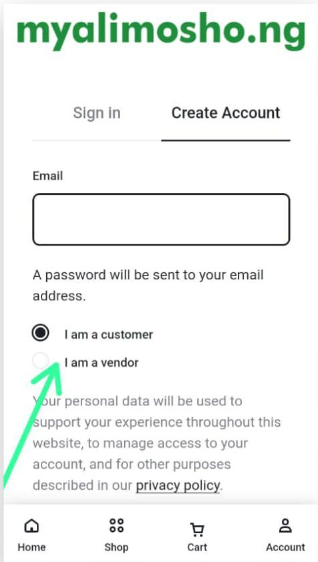
Login or Register
Click on Create Account
Register as a vendor, check the radio option
Check your mail for our confirmation email to set your password and verify your email.
Chat admin on +2347030655010 for account activation
Scroll down and Click Vendor Dashboard
Vendor Dashboard Menu
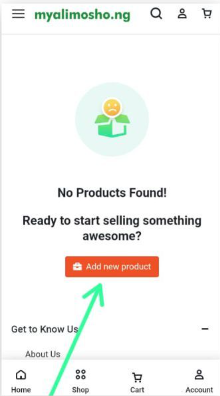
Click on product to add a product
Click on Add New product
Product details field "Enter details of your information".